
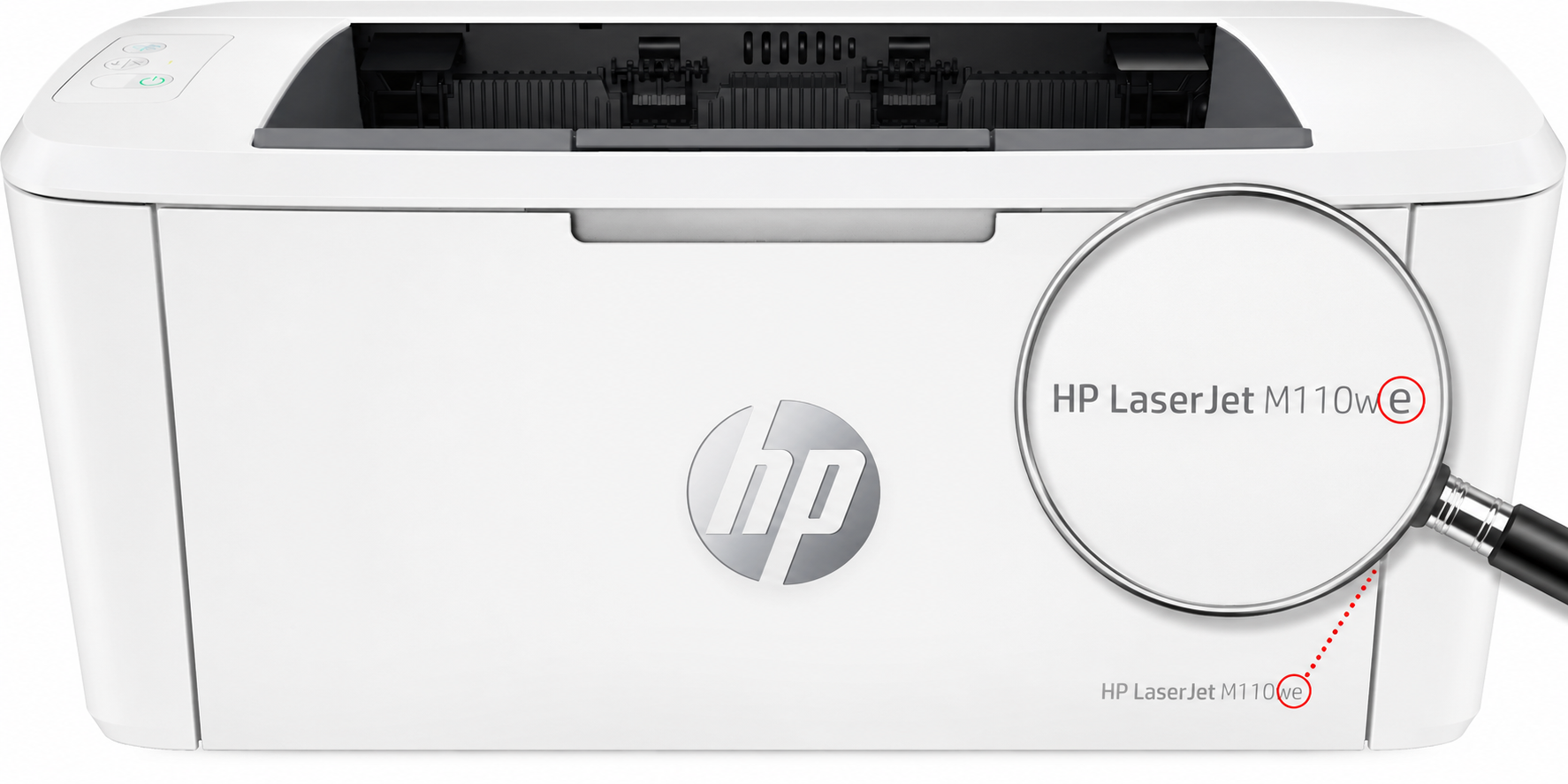
When choosing a new HP laser printer, people often look only at the price of the device. But one small letter in the model name can decide whether you’ll be able to use cheaper compatible toners in the future, or will always have to buy the original.
📌 In short
✔ Models with the letter “e” (e.g. M110we) are tied to the HP+ service — once activated, they can block compatible toners.
✔ Models without the “e” (e.g. M110w) work with quality compatible cartridges without problems, as a rule.
✔ HP+ activation usually cannot be undone — decide before the first setup.
What does the letter “e” in an HP LaserJet name mean?
The “e” means the model supports the HP+ service — a system that ties the printer to an HP cloud account and requires a constant internet connection (official HP+ information). Such models include, for example:
M209dweM234dweM235dweM140weM110weMFP M283fdwe
Once activated, the printer operates by HP+ rules, and one of the main restrictions is original HP toners only. The printer may refuse compatible toners, third-party cartridges, remanufactured cartridges, refilled originals, and cartridges with a replaced chip.
⚠️ Important: HP+ activation usually cannot be reversed later. If you activate it during the first setup, the printer stays locked to original toners.
Why does an HP laser printer block a toner?
Every modern HP toner cartridge carries an electronic chip that reports the cartridge type, number and remaining toner to the printer. If the system deems the cartridge unsuitable, the screen shows something like:
- “Use a genuine HP cartridge”
- “Cartridge not supported”
- “Cartridge is damaged or missing”
- “Non-genuine cartridge installed”
Meanwhile the cartridge may still hold plenty of toner — the problem is not the powder but the electronic protection and chip check.
Do all “e” models block compatibles?
Not always, and not immediately. During the first setup you can sometimes decline HP+ activation. But even then the Dynamic Security system may be at work, checking the chip, and it can block compatible cartridges after a firmware update. So a cartridge that works today may stop working tomorrow after an update.
With “e” or without: a comparison
| With “e” (HP+) | Without “e” | |
|---|---|---|
| Compatible toners | ❌ blocked after HP+ activation | ✅ work with the right chip |
| Toner refilling | ❌ not supported | ✅ possible on many models |
| HP account and internet | required | not needed |
| Printing cost | higher (original only) | lower |
| Examples | M110we, M140we, M209dwe, M283fdwe | M110w, M209dw, M404dn, M428fdw |
A printer without the “e” is sometimes slightly more expensive to buy, but considerably cheaper to run thanks to cheaper cartridges. For an office, a school or a warehouse that prints a lot, the difference in costs is substantial.
💡 Tip: many HP+ models also come in a regular version without the “e” — the same printer, but without the restrictions. For example, instead of the M110we take the HP LaserJet M110w.
Suitable printers and toners from our shop
These products are available from us — printers without HP+ restrictions and the toners that fit them:
🖨️ HP LaserJet M209dwFast A4 mono, 29 ppm, no HP+ obligation. View product →
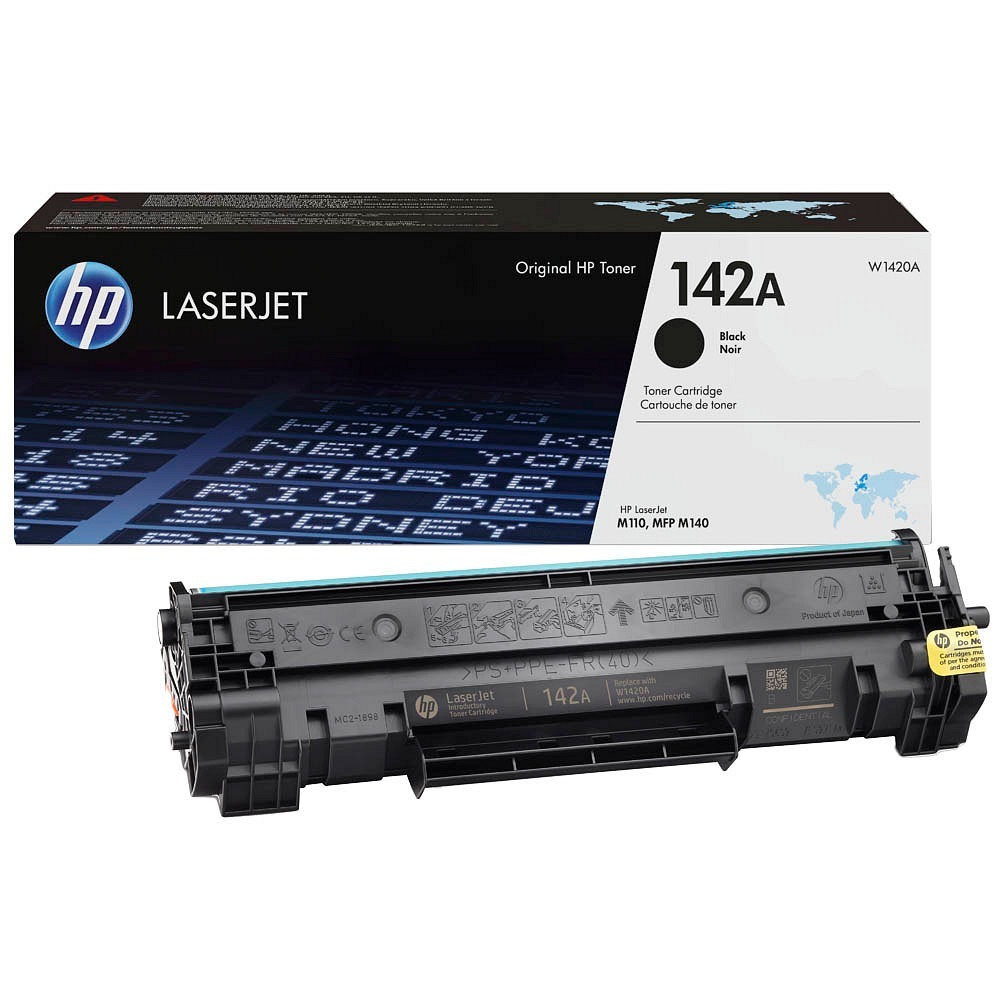
⚫ HP 142A compatible tonerFor the M110w and M140w, 950 pages. View product →
⚫ HP 135A toner (compatible)For the M209dw and MFP M234 series, 1,100 pages. View product →
⚫ HP 149A compatible tonerFor the LaserJet Pro 4001–4004 and MFP 410x, 2,900 pages. View product →
Didn’t find your model? See all HP products or ask us — we’ll find the right toner for any printer.
Can the cartridges be refilled?
On many HP models without the “e”, toner refilling is possible. After a refill the cartridge often needs a chip replacement or reprogramming: the toner is still fine, but the chip tells the printer the yield is used up.
For stable operation use a quality compatible toner, a remanufactured cartridge with a new chip, or a professionally refilled cartridge with the necessary components replaced.
Why did the printer work with a compatible, then stop?
One of the most common situations. The usual causes: the printer received a firmware update, HP changed the chip requirements, the chip’s counter ran out after a refill, or the printer was registered in the HP+ system.
If the cartridge stopped working right after an update or after connecting to the internet, the cause is most likely the software check, not the toner.
A checklist before buying an HP printer
- Is there an “e” at the end of the model name?
- Does the printer require HP+ activation?
- Are quality compatible cartridges available for the model?
- Can the cartridge be refilled or remanufactured later?
- What is the printing cost with original and with compatible supplies?
You can see the available models in our printer range and the supplies among the HP products.
What to do when an HP LaserJet no longer accepts a cartridge?
Check the exact printer model, whether it has the “e”, its HP+ status, and whether the problem appeared after an update. Don’t rush to throw the cartridge away — sometimes the issue is the chip, incorrect installation or the cartridge version. When in doubt, book a printer diagnosis and repair.
If HP+ is already activated, the only reliable solution may be an original HP cartridge. Alternatively, consider replacing the printer or renting a printer for the office.
Frequently asked questions
Does an HP LaserJet with the “e” work with a compatible toner?
Before HP+ activation sometimes yes, but after activation the printer demands original HP toners only. Dynamic Security can also block compatible cartridges after a firmware update.
How do I find out whether my HP printer is an HP+ model?
Look at the end of the model name: if there is an “e” (e.g. M110we, M209dwe), it is an HP+ model. Versions without the “e” (e.g. M110w, M209dw) carry no HP+ obligation.
Can HP+ be switched off after activation?
Usually not. If HP+ was activated during the first setup, the printer generally cannot be returned to normal mode.
Which toner does the HP LaserJet M110w or M140w need?
The HP 142A (W1420A) toner. On models without the “e”, both the original and a quality compatible toner with the right chip will do.
Can a compatible toner damage the printer?
A quality cartridge with the right chip works reliably. It pays to avoid the cheapest cartridges of unknown origin — ask us which compatible fits your model.
Does your HP work with a compatible toner?
A-Tahm will check your model, pick the right original or compatible toner and help cut your printing costs.